


Weigh My Truck
3.71.30K Reviews
App Specs
- Version
- 3.44
- Updated On
- License
- Free
- Downloads
- 500,000+
- Developer
- CAT Scale Company
- Categories
- Maps & Navigation
- Platform
- Android, iOS
Screenshots
 Analysis by AppCompare
If you’ve ever had the pleasure—or sometimes, the hassle—of trucking across the country, you know that weighing your truck can be a bit of a chore. Enter Weigh My Truck, an app designed to make this process as smooth as a freshly paved highway. Today, I’m diving into everything you need to know about this handy tool.
What’s the Deal with Weigh My Truck?
So, let’s get into it. Weigh My Truck is an app available on both Android and iOS, developed by CAT Scale Company. It’s all about convenience, aiming to save you time and hassle at the scales. You can weigh your truck, pay on the go, and get back on the road without having to step out of your cab. Pretty neat, right?
Reading the app in a working cab
For a driver deciding whether to try it, the most useful distinction is that this is a scale transaction tool, not a general navigation app. It belongs in the Maps & Navigation space because it supports a specific step in a truck trip, but it does not replace route planning, load management, or a conversation with a scale attendant when something needs explaining. I’d think of it as a shortcut for the moment at the scale rather than a dashboard for the whole job.
The screen-based flow can be helpful when a driver wants to keep the weighing process organized from the cab. At the same time, any phone task can compete with attention needed for maneuvering a large vehicle. My practical advice is to set up the account and become familiar with the basic steps while parked, then use the app only when the truck is safely positioned and the scale process allows it. Convenience is valuable only if it does not encourage rushed phone use.
How Does It Work?
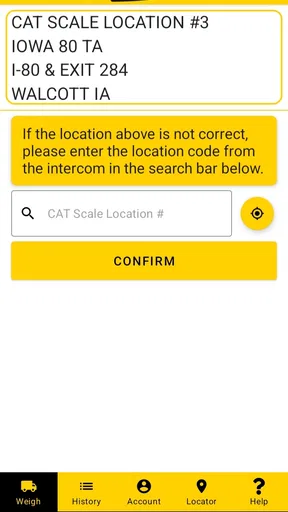
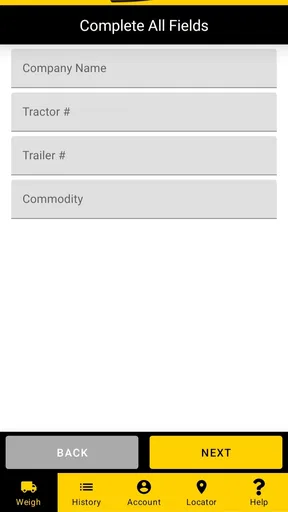
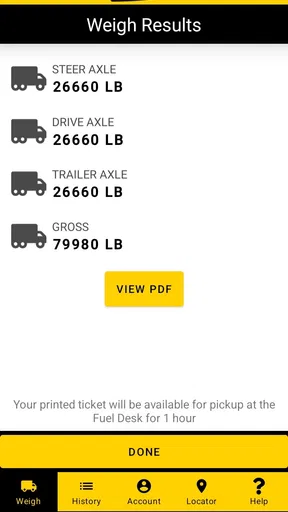
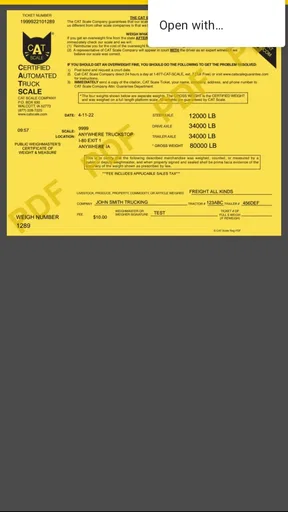
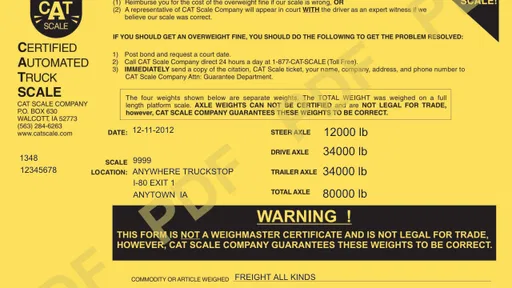
The app is pretty straightforward. Once you’ve downloaded it, you create an account and enter your truck’s details. After that, it’s just a matter of driving onto a CAT scale, and the app does the rest. You’ll see the weight displayed on your screen, and you can pay directly through the app. It’s like magic, but for truck scales.
That workflow is most compelling when a driver already intends to use a CAT scale and wants to keep payment and the resulting weight information together. It is less useful if the trip depends on a different weighing provider, or if a particular job requires a procedure that the driver must complete directly with staff. I would not assume that an app-based transaction changes the need to follow posted scale instructions or the requirements of a shipper, carrier, or enforcement authority.
Who benefits from keeping the process in the cab?
I can see the strongest fit for independent drivers who weigh often enough to value a consistent routine, and for fleet workers who need to keep track of weigh-ins across workdays. The app is free, carries an Everyone age rating, and has been available since Jul 16, 2013; its current version is 3.43. Those details make it approachable to try, but the real reason to install it is practical: whether your regular scale stops match the service it supports.
Worth Reading Before You Choose

EA SPORTS FC Mobile 26 Is a Bigger Football Game, but It Takes Time

Flipboard Shows What News Apps Must Do Beyond the Feed

Switching to Android Auto Means Rethinking Your Driving Routine

Google Calendar Makes a Crowded Week Easier to Manage

Ludo King Makes the Most of the Minutes Between Plans

Baby Panda World Brings Quick Play to Modern Phones, but Its Game Library Feels Busy
For a driver who only weighs occasionally, a normal in-person transaction may be perfectly adequate. Someone who prefers staff assistance, does not want to manage payment details in an app, or rarely visits a participating CAT scale may find little reason to change habits. It is also not a substitute for weighing at a location that meets a specific route or operational need. I’d decide based on the stops I actually use, not on the promise of saving time in the abstract.
Features That Make Life Easier
One of the biggest perks is the ability to avoid long lines at the scales. You know how it is—time is money, and waiting is nobody’s favorite pastime. Weigh My Truck lets you skip the wait and get back to doing what you do best: driving. Plus, there’s no fumbling with cash or receipts, as everything is handled electronically.
The time advantage is situational, not automatic. A driver still needs to enter the scale correctly, follow its directions, and allow the weighing process to finish. If several trucks are waiting, or if the scale area is busy and confusing, the app cannot remove the physical constraints around the truck. I’d treat the reduction in payment and paperwork steps as the dependable benefit, while considering any shorter wait a welcome possibility rather than a guarantee.
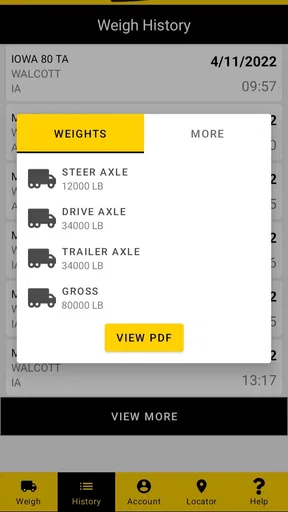
The app also keeps a record of all your weigh-ins. This is super handy for maintaining logs and keeping track of your loads. And if you’re managing a fleet, having all this data at your fingertips is a major plus.
A useful habit is to review each record after the transaction while the load and stop are still fresh in your mind. That makes it easier to connect a weigh-in with the relevant trip or load when you later need to check your own records. For a fleet, a driver’s electronic history may help with day-to-day organization, but I would still follow the company’s established recordkeeping process rather than assume the app alone covers every reporting need.
Everyday situations and sensible alternatives
Picture a driver finishing a pickup and wanting to check the truck’s weight before continuing a long route. If the next convenient stop is a CAT scale, an account already set up in the cab can make payment and receiving the weight information feel like one continuous task. The practical tip is to get the truck details ready before reaching the scale, so the driver is not trying to enter information while managing a queue or a tight approach.
Compared with paying at the counter or following the scale’s usual on-site process, the app’s main difference is where the transaction is handled: the phone becomes the point of access for payment and weight information. That can suit drivers who want fewer steps outside the cab. The ordinary method may still be preferable when a person wants face-to-face help, needs clarification, or is dealing with a situation that does not fit a routine weigh-in. Neither approach removes the need to use the right scale and verify that the result is appropriate for the task.
For a driver choosing between this and a general navigation tool, the comparison is straightforward: navigation apps help with getting somewhere, while this app is for the weighing stop itself. Keeping both types of tool in a working routine makes more sense than expecting one to do the other’s job. I’d also avoid leaving a scale stop until the last moment if the route is unfamiliar; the app supports the transaction, not the planning decisions that get a truck safely to the correct location.
Getting Started
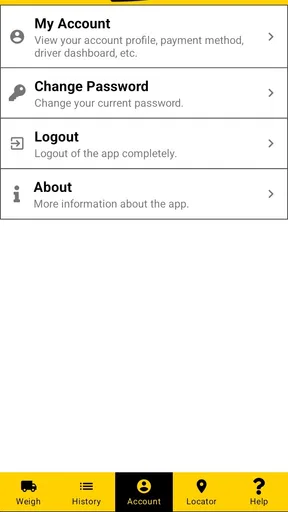
Signing up is a breeze. You’ll need to enter some basic information about your truck and payment method. The app supports various payment options, which is always a plus. Once you’re all set up, you just need to find a participating CAT scale, and you’re good to go.
Before relying on it during a workday, I’d complete setup while parked and make sure the account information is ready to use. It is also worth checking that the scale you plan to visit participates, rather than discovering a mismatch after arriving. This small preparation matters more to a driver on a schedule than learning the interface in the middle of a busy stop.
The app has a 3.8 average from around 2.8 thousand ratings, with about 1.3 thousand written reviews and over 500 thousand installs. I read that as a sign of an established tool with a real audience, not proof that every driver’s experience will be flawless. The developer is CAT Scale Company, so the app is most naturally considered by drivers already using the company’s scales.
On the accessibility side, keeping a transaction on a phone may reduce the need to handle cash or manage paper in the moment, but phone-based steps are not automatically comfortable for everyone. A driver who has difficulty reading a screen, tapping accurately, or switching attention between a device and a work environment should test the setup in a safe, low-pressure situation. If the process is hard to use, the usual on-site option or help from staff may be the better choice.
Using the app for the first time might feel a bit awkward—like anything new—but once you get the hang of it, you’ll wonder how you ever lived without it. It’s all about making your life easier, one weigh-in at a time.
Where the convenience has limits
The app’s usefulness depends on a few practical conditions: the driver needs a suitable participating CAT scale, a working phone, an account that is ready, and a transaction that fits the app’s process. If any of those pieces is missing, the traditional way of handling the stop may be simpler. I would not make the phone the only plan for an important weigh-in; keeping the normal scale procedure in mind gives the driver a sensible fallback.
There is also a difference between having a record and having a complete business record. Drivers may need to connect weights with other paperwork, dispatch instructions, or company systems. The app can make its own weigh-in history convenient, but the driver remains responsible for checking what a particular job requires and keeping any additional documentation in the right place.
CAT Scale Company’s app is free to download, but that does not mean every related service or transaction is necessarily free. The important point for a prospective user is to understand the scale’s own process and costs before relying on a phone-based payment. I would check the details at the point of use instead of assuming the app itself settles every question about a weigh-in.
Final Thoughts
In the world of trucking, efficiency is key, and Weigh My Truck delivers just that. It streamlines the weighing process, saves time, and reduces hassle. Whether you’re a solo driver or managing a fleet, it’s a tool worth having in your arsenal.
My recommendation is strongest for drivers who regularly use CAT scales and want a repeatable way to handle payment and retrieve weigh-in information from the cab. It is a more limited choice for someone who seldom weighs, relies on other scale networks, or values in-person help more than a phone-based transaction. That distinction is what makes the app useful for the right routine without making it a universal answer for every truck stop.
While it’s not going to solve all your trucking woes, it’s certainly a step in the right direction. Give it a shot, and you might just find yourself with a bit more time and a lot less stress. Safe travels, and happy trucking!
Pros
- Quick and easy weigh-ins.
- Secure payment options.
- Detailed transaction history.
- User-friendly interface.
- Compatible with major truck stops.
Cons
- Requires stable internet connection.
- Limited to participating locations.
- No offline mode available.
- Occasional app crashes reported.
- Subscription may be costly for some.
FAQs for Weigh My Truck
What is the main purpose of the Weigh My Truck app?
The Weigh My Truck app is designed to provide truck drivers with a convenient way to weigh their vehicles at participating CAT Scale locations. It allows drivers to save time by weighing their trucks without leaving the cab, and receiving the weight information directly on their mobile devices.
How does the Weigh My Truck app work?
After downloading the app, users need to create an account and link a payment method. When at a CAT Scale location, drivers can use the app to weigh their truck. The app communicates with the scale, processes the payment, and delivers the weight data electronically, streamlining the entire process.
Is the Weigh My Truck app free to use?
The Weigh My Truck app is free to download and use. However, there are charges associated with the actual weighing process at CAT Scale locations. Users will need to set up a payment method within the app to cover these costs, which are similar to traditional weighing fees.
Can I view my past weigh records in the Weigh My Truck app?
Yes, the Weigh My Truck app allows users to access their weigh history. This feature is particularly useful for drivers who need to keep track of their weighing records for compliance or billing purposes. The app stores previous weigh transactions, making it easy to review past data.
What devices are compatible with the Weigh My Truck app?
The Weigh My Truck app is available for both Android and iOS devices. It is compatible with most smartphones and tablets that meet the minimum operating system requirements. Users can download the app from Google Play Store or Apple App Store to ensure they have the most current version.


